Raw materials
Create ingredients with gram, millilitre or piece as the base unit used by your kitchen.
Restaurant stock control
Connect raw materials with menu recipes, monitor stock usage and see current value, low-stock levels, adjustments and history from one restaurant system.
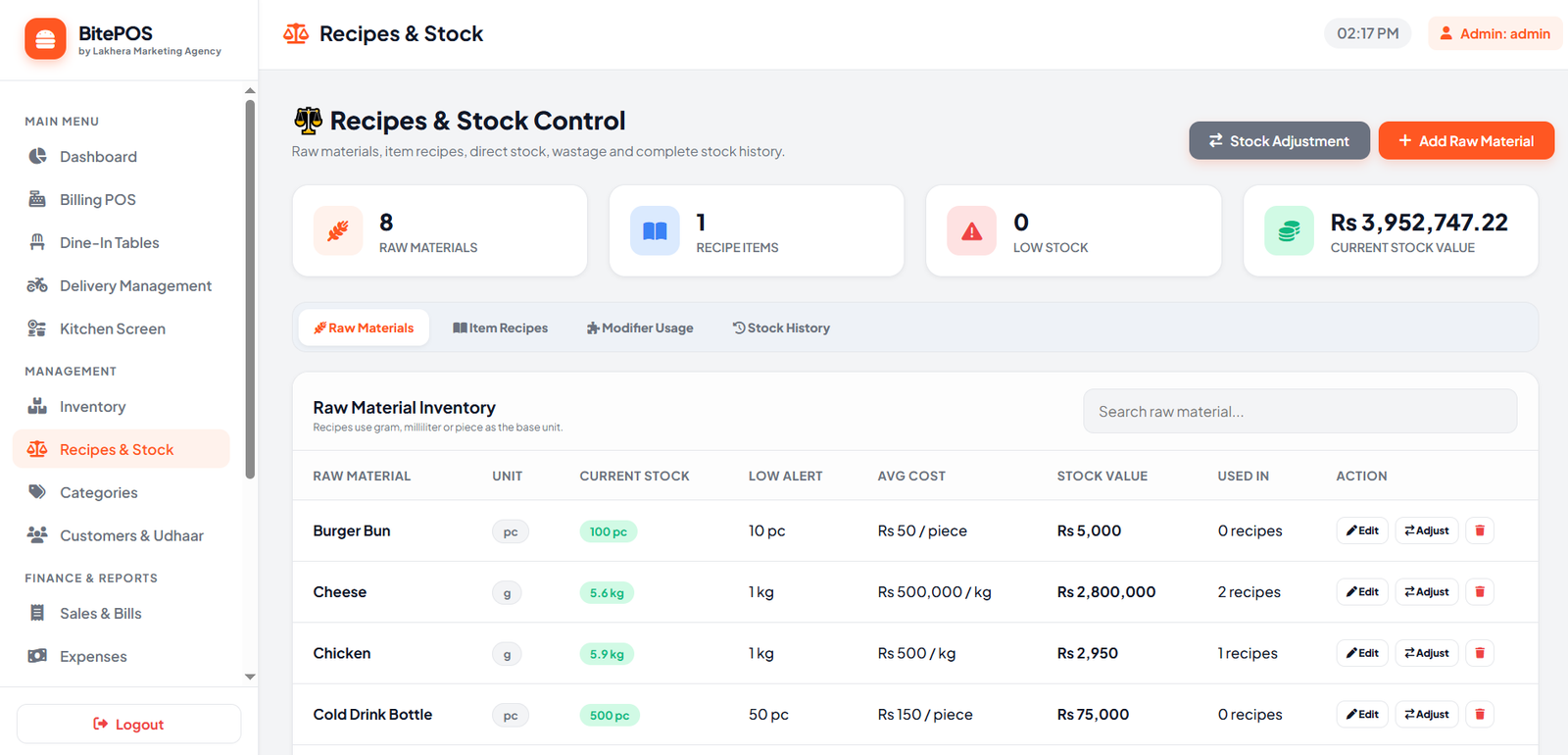
Built for daily restaurant work
BitePOS combines ingredients, recipe usage and stock movement so restaurant owners can review inventory without separate spreadsheets.
Create ingredients with gram, millilitre or piece as the base unit used by your kitchen.
Connect menu products to their ingredient quantities for clearer consumption tracking.
See available quantity for each material and review the current stock value.
Set a low-stock level for important ingredients and identify items that need attention.
Record corrections, received stock, wastage and other controlled quantity changes.
Review stock movement and understand when material quantities changed.
How it works
The inventory system is built around the way restaurants buy ingredients, create recipes and use stock during daily sales.
Add raw materialsCreate ingredients, select the unit and enter current quantity, cost and low-stock level.
Build item recipesAssign the required ingredient quantity to each menu item or supported modifier.
Sell menu itemsCompleted sales use the connected recipe data for restaurant stock tracking.
Review and adjustCheck stock value, low items and history, then record controlled adjustments when needed.
Frequently asked questions
Need help with your restaurant setup? Our team can guide you on WhatsApp.
You can create restaurant ingredients and supplies measured in grams, millilitres or pieces.
Yes. An item recipe can connect the menu product with the ingredient quantities required to prepare it.
Yes. Each material can have a low-stock level so the restaurant can identify items that need attention.
Yes. Authorised users can record controlled stock adjustments for corrections, purchases, wastage or other valid changes.
Yes. The Recipes and Stock screen displays the current inventory value based on recorded quantities and costs.
Ready when you are
Start a 7-day free trial and get setup guidance from our team.
