Visual food menu
Show categories, products, deals, pictures and prices in a clear counter-friendly layout.
Restaurant billing POS
Create accurate takeaway, delivery and dine-in bills from one clear order counter, with food categories, sizes, add-ons, deals and discounts ready for staff.
Built for daily restaurant work
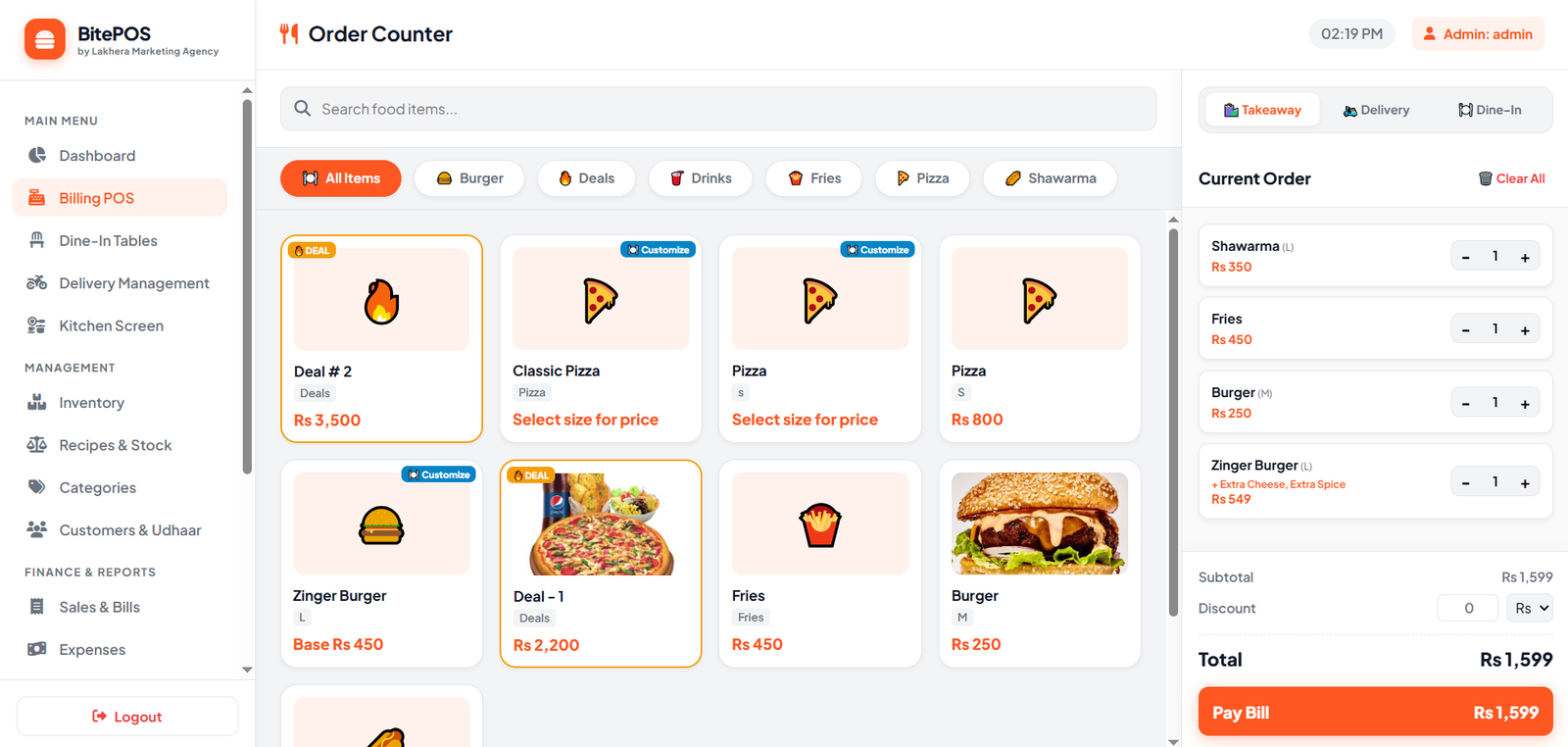
BitePOS keeps the menu and current order visible together so restaurant staff can build a bill with fewer steps.
Show categories, products, deals, pictures and prices in a clear counter-friendly layout.
Sell small, medium or large variants and add extras such as cheese, spice or other modifiers.
Create quick counter orders and print a clear receipt without unnecessary customer fields.
Capture customer details, payment mode and delivery information when the order requires it.
Open a table order, add items over time and complete the final bill when the customer pays.
Apply allowed discounts while keeping subtotal, total and payment information easy to verify.
How it works
Staff can switch between takeaway, delivery and dine-in without learning a different billing system for each service.
Choose order typeStart a takeaway, delivery or dine-in order from the top of the billing screen.
Add food itemsUse categories and search to add products, sizes, deals and custom options.
Review the billAdjust quantities, apply an allowed discount and confirm the total before payment.
Pay and printComplete the sale, print the customer receipt and save it in sales history.
Frequently asked questions
Need help with your restaurant setup? Our team can guide you on WhatsApp.
Yes. All three order modes are available from the main billing counter.
Yes. Products can use size variants such as small, medium and large with their own prices.
Yes. Product modifiers can be used for extras and custom options configured by the restaurant.
Completed sales are saved in the shop records and included in the relevant sales and reporting screens.
Yes. BitePOS supports compatible desktop and Android printing workflows, including 58mm and 80mm receipts.
Ready when you are
Start a 7-day free trial and get setup guidance from our team.
